
Android help
Rush Royale APK: Official Version, Requirements and a Safe Install Guide
Key takeaways
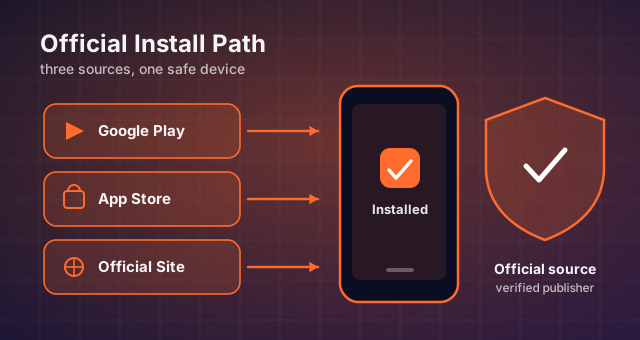
- The only trustworthy installer is the one delivered by Google Play or the App Store.
- Keep plenty of free storage before seasonal patches — low space is the top cause of broken updates.
- Link your in-game account before troubleshooting so a reinstall never costs you your collection.
"Rush Royale APK" is one of the most searched phrases for this game, and most pages that rank for it are trying to hand you an unofficial installer. This page is the opposite of that: it explains what the APK actually contains, what the current official build requires, and how to install or repair it without putting your account or your device at risk.
What the Rush Royale APK actually is
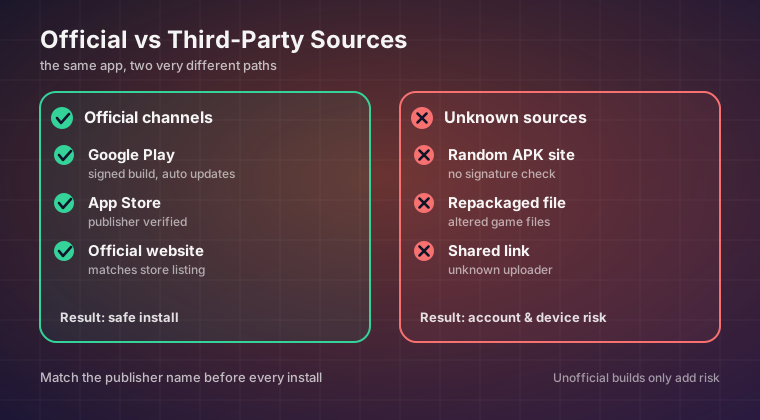
An APK is simply the Android package format — the standard container every Android app ships in. When you install Rush Royale from Google Play, your phone downloads and installs exactly that package in the background. The difference between installing through the store and side-loading a file you found elsewhere is not the format, it is who signed the file.
The official build carries the developer's signing certificate and talks to MY.GAMES servers with a client the server recognises. A repackaged file has a different signature, and it may carry whatever the person doing the repackaging chose to add. That is why the wording matters: "APK" is neutral, but a repackaged installer, an unofficial build, or anything promising premium currency you have not earned describes a file that has been taken apart and reassembled by a stranger.
Rush Royale is a live-service game. Your progress lives on the game servers, so the only thing the installer file really controls is which client you are using to reach them — and using an unauthorised one is what gets accounts actioned.
Current version and how rarely it matters
The Play Store listing always shows the build number currently rolled out to your account, and most players never need to know it. Version numbers matter in exactly three situations: you are checking whether a balance change has reached your device yet, support asks you to confirm which build you are on, or a beta is being distributed to a limited region.
Balance patches arrive on a regular seasonal cadence, and because updates are delivered incrementally through the store, your client can be one rollout step behind a friend's for a day or two. None of that affects gameplay outcomes — both accounts still connect to the same servers and share the same rules.
System requirements and what actually bottlenecks you
Rush Royale is not a demanding game on paper, but it is a real-time game, which means stability matters more than raw speed. A mid-range phone that holds its clock speed will feel better than a flagship that throttles halfway through a long clan war session.
| Tier | CPU / RAM | Storage | Network |
|---|---|---|---|
| Minimum | A mid-range ARM64 chipset (roughly Snapdragon 660 class or better), 3 GB RAM | About 1.2 GB free after install for game assets and updates | Stable 3 Mbps down, low jitter |
| Recommended | Snapdragon 845 / Dimensity 800 class or newer, 6 GB RAM | 2 GB free for future asset packs | Wi-Fi or 5 GHz LTE with good signal |
| Avoid fighting | Anything that thermally throttles hard after 10 minutes | Under 500 MB free — this is the top cause of failed updates | Captive portal Wi-Fi and heavily metered hotspots |
If you care about performance, prioritise these in order: free storage, then a cool device (remove the case during long sessions, avoid charging-and-playing), then graphics settings inside the game. Very few frame drops in this genre come from the GPU.
Where the official build comes from
- Google Play — the default and safest source on Android. Updates arrive automatically and the install is verified for you.
- App Store — the equivalent official route on iOS. Side-loading is not a supported path on those devices.
- The official MY.GAMES channels — useful for announcements, regional availability and support contacts, not for installer files.
If your device has no Play Store at all, treat that as a signal to use another device rather than a reason to hunt for a file. Rush Royale requires an online connection to play anyway, so a offline-only install has no practical use.
Installing and updating cleanly
Long story short: install from the store, leave automatic updates on, and clear space before a major seasonal patch. Seasonal updates add assets, and running low on storage mid-download is how you end up with a client that opens to a black screen.
When an update misbehaves, the fix order that preserves your data is: force-close the app, check storage, restart the device, clear the app cache, update through the store, and only as a last step reinstall. Every step except the last one leaves your save completely untouched, because your save is not on your phone.
Making sure your progress is recoverable
Before any troubleshooting, confirm the account your profile is bound to. A guest profile that has never been linked to a Google / Apple / MY.GAMES identity is the single most common reason players "lose" a maxed deck after switching phones or reinstalling. Open the in-game settings, check the account panel, and link something — it takes under a minute.
Once linked, you can reinstall on a new device, log in, and your collection, season progress and clan membership come back exactly as they were.
Red flags to walk away from
- Any promise of gems, gold or chests you have not earned, coming from an external site.
- Download buttons that send you through shorteners, countdown timers or surveys.
- Claims of a version number that does not match anything announced publicly.
- Instructions telling you to disable Play Protect instead of using the store.
Final verdict
Searching "Rush Royale APK" does not mean you are looking for trouble — usually it means you want a clean install, the current version, or a fix for an update that went sideways. All three are solved through official channels, and none of them require a file from a third-party host.
Keep storage free, keep automatic updates on, link your account today rather than after something goes wrong, and never install a client that did not come from Google Play or the App Store. Do that and the only thing standing between you and the next league tier is the deck you built.
Keep reading
Rush Royale Not Working? Fix Install Failures, Crashes and Connection Errors
Storage checks, OS requirements, stuck updates, crash loops and safe reinstall steps for Rush Royale — in the order that keeps your account intact.
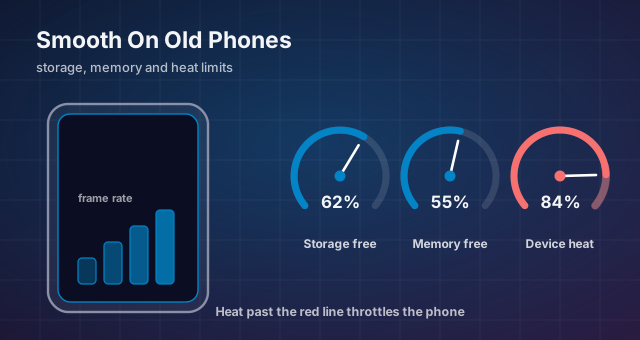
Rush Royale on Low-End Android: Performance and Stability Fixes
Storage, RAM, graphics, thermals and network fixes that keep Rush Royale playable on older phones — plus why an unofficial lightweight build is never the answer.
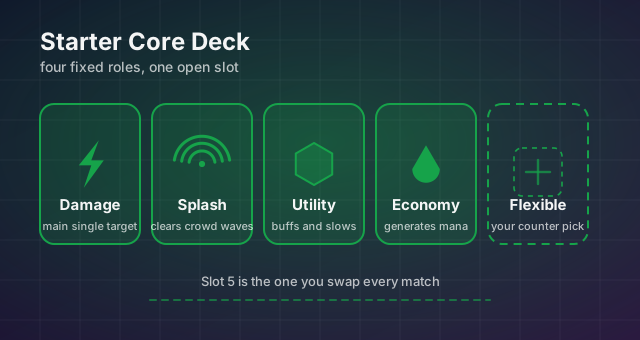
Best Rush Royale Units for Beginners: A Starter Core That Scales
How to choose the five cards worth levelling when your collection is thin: slot roles, screening criteria and why copying a ladder deck early backfires.