
Android help
Rush Royale Not Working? Fix Install Failures, Crashes and Connection Errors
Key takeaways
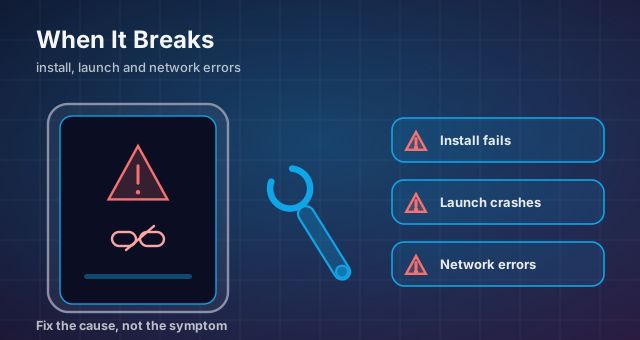
- Check free storage and OS version before assuming the install itself is broken.
- Clear cache and update through the store before reinstalling — your progress lives on the server.
- Never install a 'fixed' client from outside the official stores; that is how accounts get stolen.
When Rush Royale will not install, keeps crashing mid-match, or drops you out of a co-op run, it is tempting to look for a shortcut. Do not. Every fix below uses the official app from Google Play or the App Store plus your own device settings. Nothing here asks you to download a rebuilt client, and the last section explains why that matters more than it sounds.
Start with the official store, not a workaround
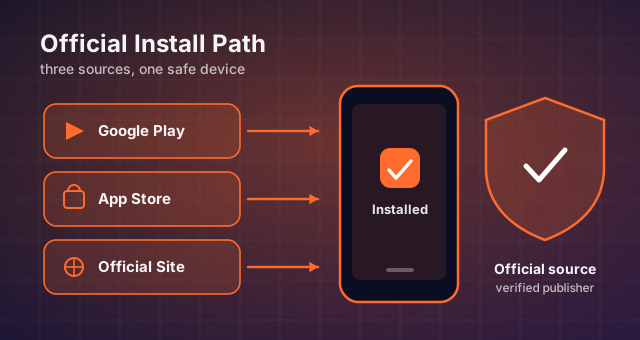
Almost every install failure begins with the wrong source. Uninstall anything you did not get from Google Play or the App Store, then install Rush Royale again from the official listing. If the game came from anywhere else, you cannot rule out corrupted files, and you cannot be sure the app has not been altered.
Check that you are signed in with the same store account you used before. A different account cannot restore purchases or cloud progress, and the game can look like a fresh install even when your old data still exists on the server.
If the store page shows no install button at all, the game is probably not available for your region or device tier. That is a store-side limitation rather than a bug in the game, and no workaround changes it.
Note. Never download so-called repair builds or third-party installers from outside the official stores. They cannot fix a genuine compatibility problem, and they put your account and device at risk. The only safe sources for Rush Royale are Google Play, the App Store and the official MY.GAMES site.
Storage space and system requirements
Install failures are usually a space problem. Rush Royale needs room for the download plus extra space to unpack it, so free up more than the advertised size, not exactly the advertised size. A device with barely enough space is the classic cause of a download that restarts forever.
Clear old videos, unused apps and duplicate photos, then try again. On Android, check that the download is not going to a full internal partition while a nearly empty SD card sits idle, because the store may not use the card by default.
The second common cause is an outdated operating system. If your OS is older than the minimum the store lists, the install will fail or the game will crash on launch no matter how many times you retry. Update the OS first, then reinstall.
The install is stuck or looping
A download that sits at [X%] forever is usually a network or store cache issue. Switch between Wi-Fi and mobile data once, then cancel and restart the download from the store library rather than tapping the button repeatedly.
If it still stalls, clear the cache of the store app itself, restart the device, and begin again. Do not clear the data of Rush Royale while it is mid-install, because that can leave partial files behind and force you to start from zero.
Low storage is the other common cause of a loop. Recheck free space after the first failed attempt, since a partial download may already have consumed what you freed.
Crashes, freezes and connection errors
If the game installs but crashes on launch, force-stop it, restart the device, and open it once with no other apps running. Background apps competing for memory are a frequent cause on older phones, especially after an update raises the game's footprint.
For connection errors during a match, check whether the problem follows you across networks. If it disappears on a different Wi-Fi network or on mobile data, the issue is your original router or provider rather than the game servers.
Disable aggressive battery savers and background restrictions for Rush Royale. Phones that aggressively freeze background apps can cut the game off mid-match and produce a disconnect that looks like a server fault but is entirely local.
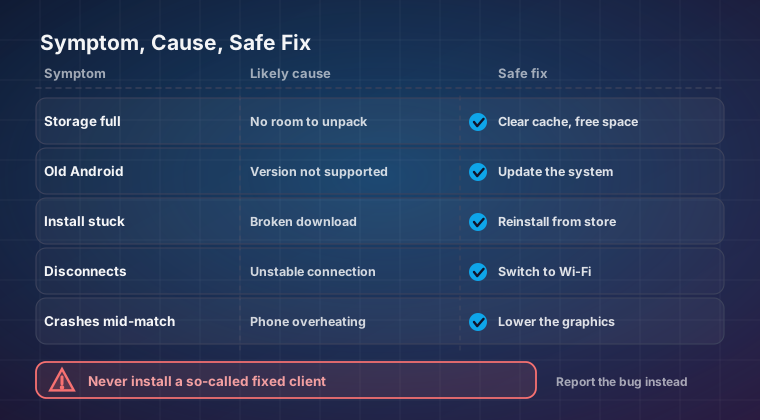
| Symptom | Likely cause | Safe fix |
|---|---|---|
| Install button is missing | Region or device not supported | Check the official store listing |
| Download stuck at [X%] | Network or store cache | Switch network, clear store cache, retry |
| Crash on launch | Low memory or outdated OS | Restart the device, update the OS |
| Freeze mid-wave | Too many background apps | Force-stop other apps before playing |
| Disconnect mid-match | Battery or background restrictions | Allow the game to run in the background |
| Progress missing after reinstall | Wrong store account | Sign in with the original account |
Clearing cache and protecting progress before a reinstall
Clearing the cache is safe and often fixes stutter; clearing app data is not the same thing. Data removal wipes local settings and can sign you out, so only do it after your account is properly linked.
Before any reinstall, confirm that your progress is bound to your Google Play, Game Center or official account so it can be restored. Write down your player ID if the game displays one, and screenshot your profile while it is still visible.
Then uninstall, restart the device, and install fresh from the official store. When you sign back in, linked progress should return. If it does not, stop and contact support before you make more changes.
- Free up more storage than the download size suggests you need.
- Update your operating system to the supported minimum first.
- Sign in with the store account that owns your progress and purchases.
- Allow the game to run without aggressive background restrictions.
- Link your account before clearing data or reinstalling anything.
When to contact support instead
If you have reinstalled from the official store, cleared the cache, freed storage and still cannot play, the problem is likely on the account or server side. Contact in-game support with your player ID, device model, OS version and a short description of the exact error message.
Support can check account state, purchases and server issues that no local fix can reach, and they can restore progress tied to a linked account. Do not hand your login to a third party or install an unofficial client while you wait; that is how locked accounts and permanently lost progress happen.
Keep reading
Rush Royale APK: Official Version, Requirements and a Safe Install Guide
What the Rush Royale APK actually contains, current Android requirements, how to update cleanly and how to spot a repackaged installer before it costs you your account.
Rush Royale on Low-End Android: Performance and Stability Fixes
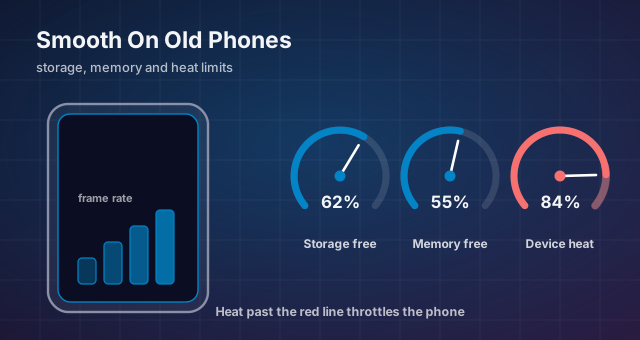
Storage, RAM, graphics, thermals and network fixes that keep Rush Royale playable on older phones — plus why an unofficial lightweight build is never the answer.
Best Rush Royale Units for Beginners: A Starter Core That Scales
How to choose the five cards worth levelling when your collection is thin: slot roles, screening criteria and why copying a ladder deck early backfires.