
Version updates
Rush Royale Season Reset: What Carries Over, What Resets and How to Prepare
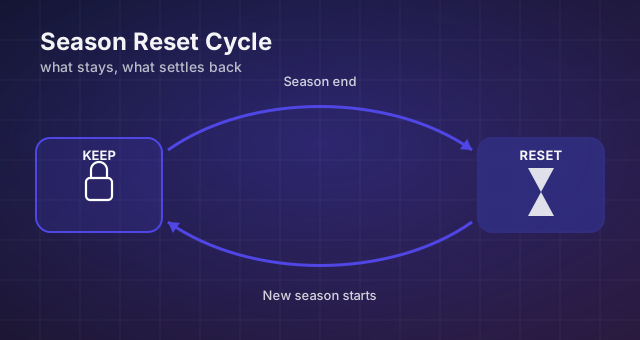
Key takeaways
- Collections and card levels generally persist; seasonal progress and league position are what move.
- Spend expiring seasonal currency before the flip rather than after it.
- Always confirm the exact details in-game — the official announcement is the source of truth.
A season turnover in Rush Royale is the one moment in each cycle when your account gets partially re-scored: some things stay exactly where you left them, some get converted into rewards, and a few simply return to zero. This guide separates those three categories and turns them into a preparation routine you can run before any season that ends on or after [date]. Every bracketed figure here is a placeholder on purpose - the binding numbers always live in the in-game news tab and the official season announcement, not in a third-party article.
What carries over and what resets
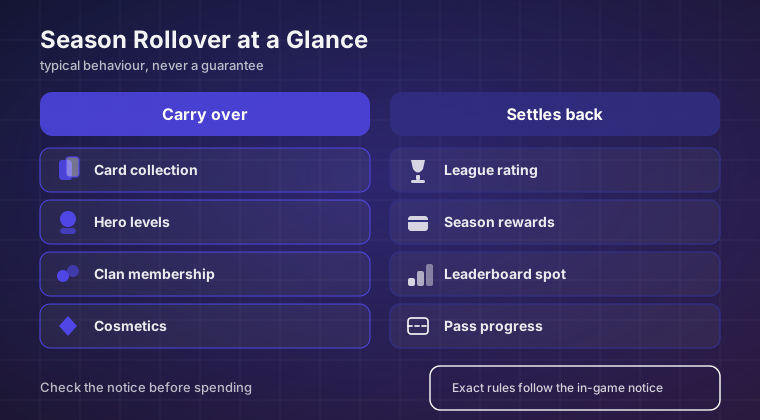
The permanent layer of your account is your collection. Units you have unlocked, the levels you have pushed them to, cosmetics and any profile items you own generally survive the boundary. Seasonal rules have consistently targeted seasonal measurement systems rather than the roster itself, so a splash-damage unit or a burst damage dealer you spent months levelling does not get quietly downgraded when the flip happens.
The layer that resets is everything measured per season. Your PvP league placement is normally re-seeded: you finish in a division, that finish determines a payout or a new starting point, and the next cycle begins lower again. The same logic applies to the season pass track, season-limited event counters and league-gated chest milestones that refill when the cycle restarts.
Two grey zones cause most of the confusion. Resource balances sit in the first category most of the time - held gold and gems are yours - but anything the interface labels as seasonal tends to expire or convert. Chests and keys split along the same line: the standard chest queue usually persists, while keys tied to a running event often do not cross the boundary.
A reliable heuristic: anything sitting next to a countdown timer belongs to the season, and anything living permanently in your collection screen belongs to you. When in doubt, check the label rather than the last season's behaviour.
Carry-over reference at a glance
The table below is a framework, not a contract. It describes how assets have typically behaved, and it exists so you know which rows need checking against this season's announcement before you commit anything.
| Asset type | Typically carries across seasons | What to do before the reset |
|---|---|---|
| Unlocked units and card levels | Usually carries over | Nothing mandatory; finish upgrades already in progress only if they complete before maintenance |
| Cosmetics and profile items | Usually carries over | Check nothing is flagged as seasonal or trial-only |
| Gold and gems balance | Usually carries over | Hold rather than panic-spend into a slot you do not use |
| Standard chest inventory | Usually carries over | Open the queue so new chests enter a clean track |
| Event keys and seasonal tokens | Often expires or converts | Spend before the deadline, even at mediocre value |
| PvP league placement | Typically resets | Screenshot your peak division for your own records |
| Season pass progression | Typically resets | Claim reachable tiers now; do not chase unreachable ones |
| Season-limited event progress | Typically resets | Collect unclaimed track rewards before they vanish |
| Daily quests and activities | Resets daily regardless | Clear them early if maintenance overlaps your usual play time |
The week before the reset
Work backwards from the announced end date. Seven days out, your only job is information. Open the season screen and capture your current division, balances and chest queue, then read the announcement end to end and note every line containing "reset", "converted" or "expire". A conversion figure like [X%] is exactly the kind of detail that should change how hard you push.
At four to five days out, decide what happens to your gold. The trap is dumping it into whichever card is closest to the next level simply so the number looks smaller at the boundary. Nothing in the reset punishes a held balance, whereas an upgrade into a card outside your five-slot rotation is expensive to regret.
The final 48 hours
- Claim every partially completed reward track, including free-track entries you normally skip.
- Spend event keys and seasonal tokens - these are the most common silent expiry.
- Start long upgrades only if they finish before downtime begins.
- Run your co-op rounds and clan war attacks early so you are not racing a restart.
- Keep enough gems untouched for whatever the new premium track costs.
- Re-read the announcement once more; end-of-season details are often edited late.
The first hours after the flip
Expect noise. The whole player pool re-seeds simultaneously, so early matchmaking mixes players who finished very far apart, and your first [N] results say almost nothing about your real placement. Play enough to read the new seasonal modifiers, then stop - grinding through the widest skill spread of the season usually just trades wins against chaotic opponents.
Treat those first matches as reconnaissance. Open the new pass track and note its tier rewards, check whether any temporary modifier affects mana generation or wave pacing, and spend a few minutes on non-ranked content confirming that your usual opener still plays the way it did. Climbing is a day-two activity.
Mistakes that quietly cost value
Hoarding "just in case" is the most expensive habit. Keys, tickets and limited counters frequently convert at poor rates or disappear entirely, so unspent is usually worse than spent badly. The second most expensive habit is the opposite reflex: buying upgrades purely to empty a balance before the timer runs out.
The third is assuming last season's rules still apply. Which categories carry over has been fairly stable, but thresholds, conversion percentages and what even counts as seasonal are re-tuned per season. A checklist that was accurate last cycle can mislead you by a wide margin in [current version].
Do not take reset specifics from comment threads or aggregator posts. Only the in-game announcement and the official channels describe what this season will actually do to your account, and only they carry the correct deadline timestamp.
How to confirm the details for your season
Build a two-minute verification habit. Note your client version in Settings, open the news tab and read the season article line by line, writing down three things: what expires, when exactly, and what it converts into. Then cross-check against the official community post. If the two disagree, the in-game notice is the authority.
Act on those notes rather than on memory. Everything here is a framework for reading the announcement faster, not a substitute for reading it. The players who lose nothing to a season reset are not the ones with better intuition - they are the ones who spent those two minutes and then spent their expiring currency before it stopped existing.
Final verdict
Season resets in Rush Royale are far less destructive than they look from a distance. Your collection, your card levels and your resource balance are built to survive them; what resets is the scoreboard and the seasonal reward machinery bolted on top of it. Once you internalise that split, the reset stops being a threat and becomes a scheduling problem you can solve with a checklist.
Run the same three-step loop every cycle: verify against the announcement, drain anything seasonal in the final 48 hours, and hold anything permanent until you can spend it deliberately. Bracket every number you think you remember - including [date] and [X%] - because the details change even when the pattern does not.
Keep reading
Rush Royale Update Explained: How to Read a Patch and Rebuild Your Deck
A repeatable method for reading Rush Royale patch notes: which changes move the meta, which ones are noise, and how to rebuild a five-slot deck after a balance shift.
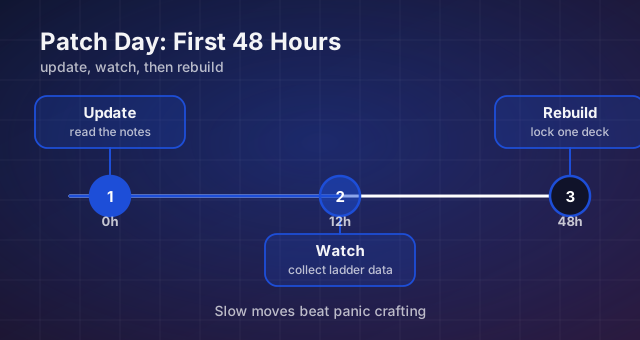
Rush Royale Patch Day: Your First 48 Hours After an Update
What to do — and what not to do — in the two days after a Rush Royale update, from reading notes in the right order to knowing when a nerf is only a paper one.
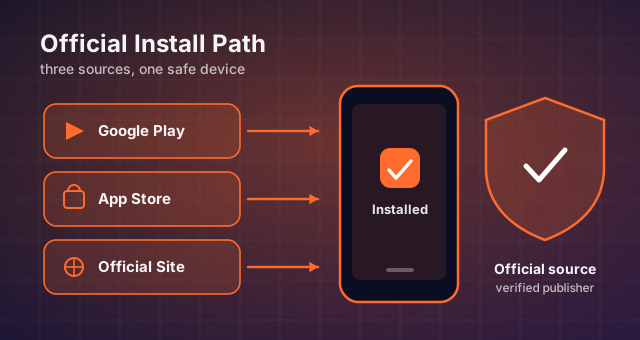
Rush Royale APK: Official Version, Requirements and a Safe Install Guide
What the Rush Royale APK actually contains, current Android requirements, how to update cleanly and how to spot a repackaged installer before it costs you your account.